
The personal videos you would like to include in Kartalis Tree can be published in one of the following ways:
Option 1: You publish the video on YouTube yourself and embed it in your biography or in the biography of a member of your family.
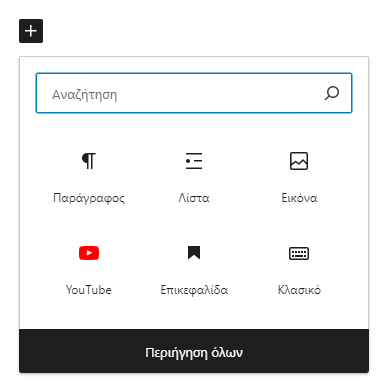
To embed a YouTube video in Kartalis Tree, first copy the address (link) of the video. Then click the point in the biography where you want to insert it, and then the "+" symbol (Image 1). From the available options choose YouTube, paste the link of the video into the field and press "Embed". If the YouTube option is not shown, choose "Browse all" and find the YouTube icon in the list.
Option 2: You publish the video on YouTube yourself and send us the link, so that we embed it in the biography you tell us.
Option 3: You send your video to Kartalis Tree and we post it on YouTube, on the channel https://www.youtube.com/@kartalistree
Please send videos through wetransfer.com to kartalistree@gmail.com.